The Coordination
Layer for GeoSpatial Data
Blazing fast 3D model processing. Generate meshes, split components, and visualize geometry — without complex pipelines.


Blazing fast 3D model processing. Generate meshes, split components, and visualize geometry — without complex pipelines.


Upload your 3D models or generate your own geospatial data files through our streamlined interface.
AI-powered processing generates meshes and extracts components automatically.
Real-time visualization and analysis tools help you understand your data.
Export processed models, masks, and metadata in your preferred format.
SAM3D META Model is a custom-built 3D segmentation model powered by Meta's SAM (Segment Anything Model) architecture, fine-tuned for geospatial mesh processing. It performs automated component extraction and mesh segmentation directly from 3D models.
Sketchfab Import refers to the pipeline that imports pre-processed 3D models from Sketchfab's platform, leveraging their optimized meshes and metadata for faster rendering times.
The chart below compares render times across both solutions. We have working implementations for both approaches, but for deployment we focused on the Sketchfab import pipeline due to deployment constraints. Our server operates with 32GB VRAM, which limits our ability to deploy SAM3D for every use case. While SAM3D provides superior accuracy and performs much better on larger meshes, it requires more computational resources. For production, we prioritized the Sketchfab import solution which offers faster processing with pre-optimized assets, especially for smaller to medium-sized models.

This chart shows the average time to render models across different mesh complexities. Lower render times indicate faster processing.


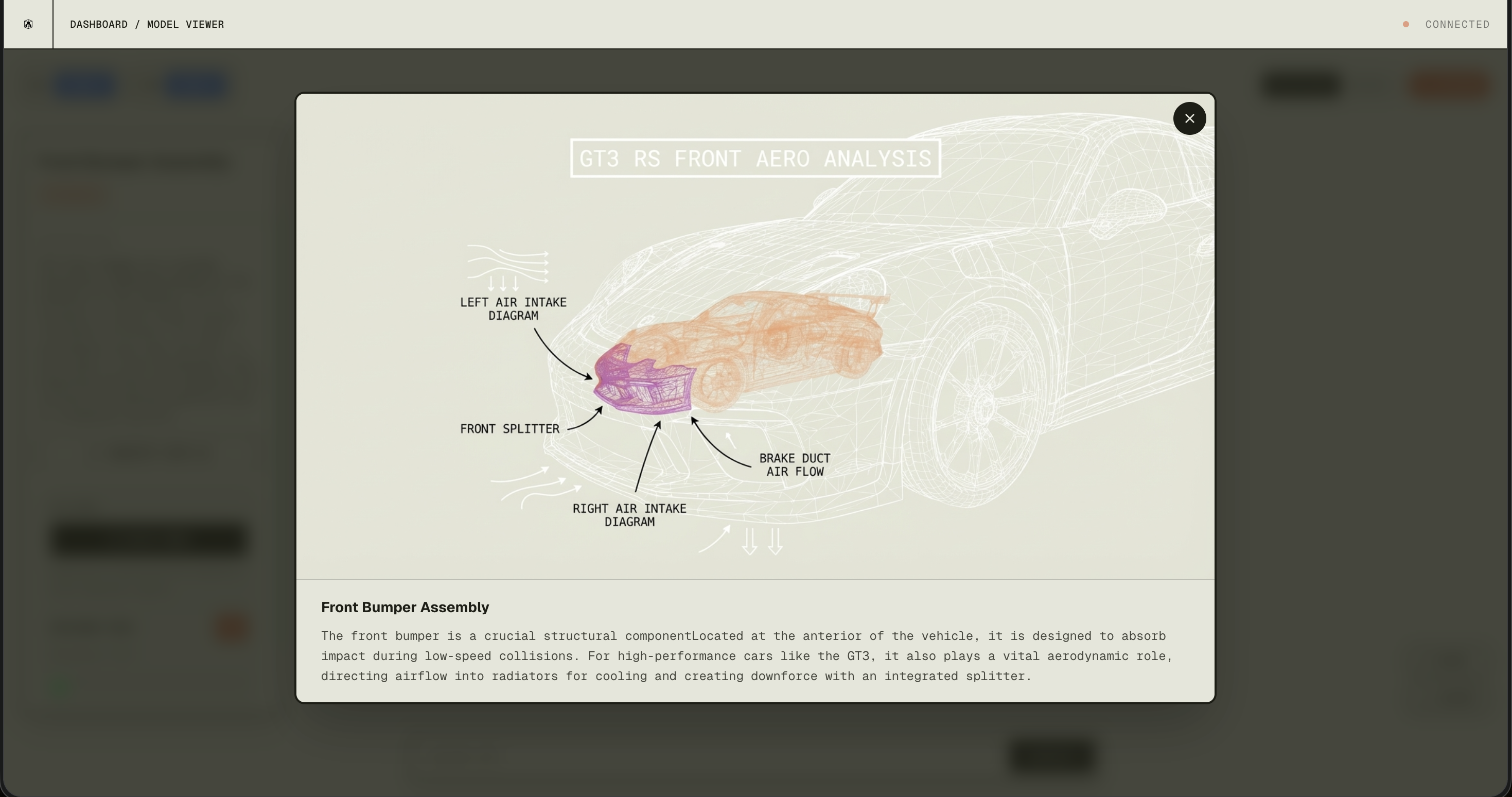
Integrated via OpenRouter API for real-time 3D mesh component identification. When users trigger AI identification, Gemini analyzes highlighted mesh components from screenshots, providing structured JSON responses with part names, descriptions, categories, and confidence scores. It also generates annotated images with wireframe overlays and labels for educational visualization.

Processes identified mesh components to generate detailed educational explanations of individual object meshes. After component identification, GPT-4 analyzes mesh geometry, position, and context to provide comprehensive descriptions, functional explanations, and educational content about each component's role and characteristics.

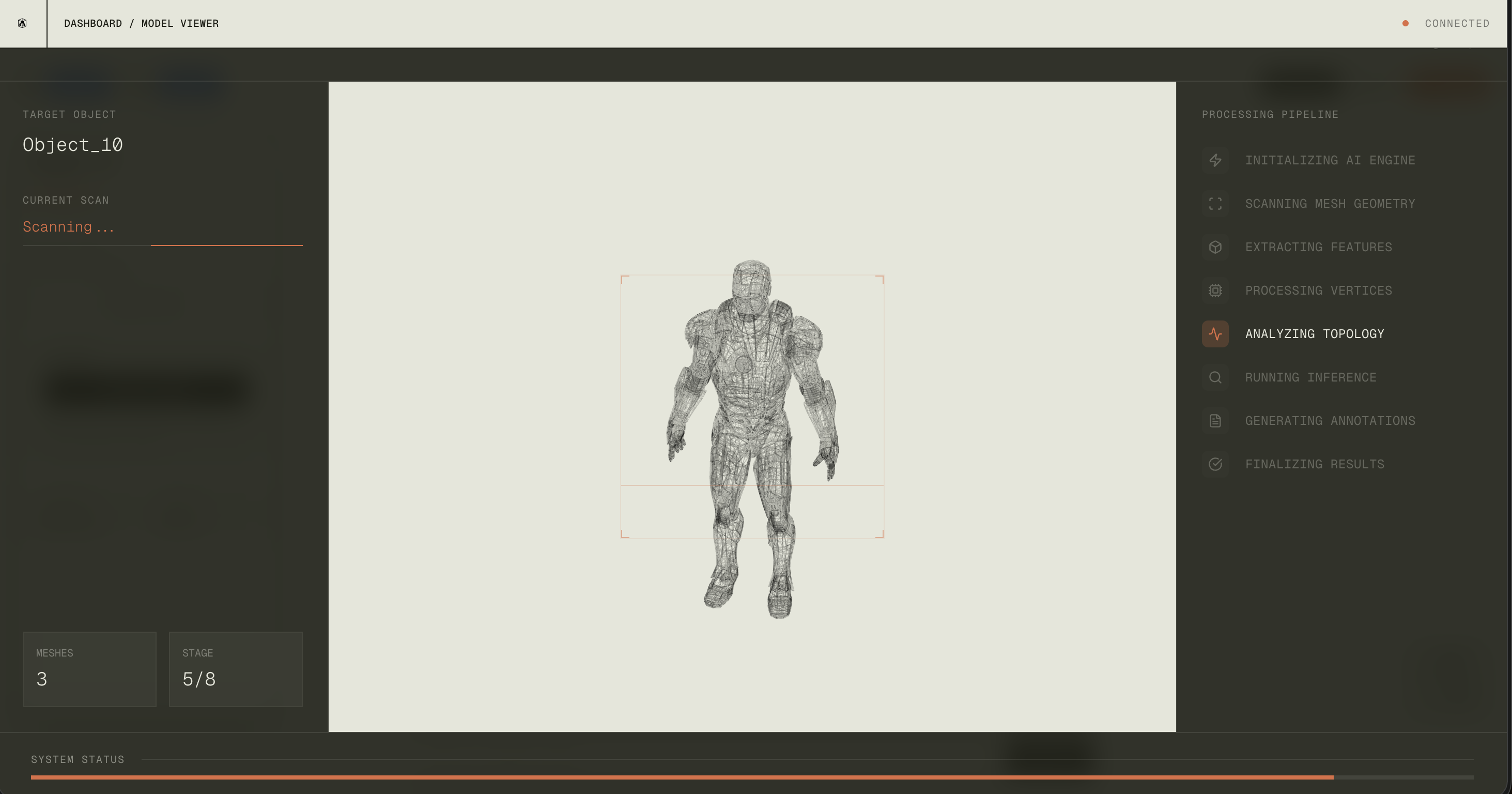
We use Gemini Pro to analyze 3D model structures and intelligently identify individual components within complex meshes. The model processes geometric data and contextual information to segment models into distinct parts.
For example, when processing a character model like Iron Man, Gemini analyzes the mesh geometry to identify separate components such as the helmet, chest plate, gauntlets, and other modular parts. This enables automated component extraction without manual labeling.

The annotated output shows how Gemini generates visual overlays on identified mesh components. Purple markings highlight the selected component being analyzed, while white wireframe lines and labels indicate relationships between parts. Arrows and diagrams illustrate component boundaries and spatial relationships, making it easier to understand the mesh structure and identify individual elements.

Real-time 3D mesh rotation control using the M5StickCPlus2's IMU sensors. The device streams quaternion orientation data via BLE at 500Hz, enabling smooth camera rotation in the 3D viewer. Button A toggles streaming, Button B triggers mesh splitting.

Button-based controller for 3D model interactions. Sends special quaternion patterns via BLE to trigger specific actions in the viewer. Button A triggers AI identification, Button B cycles through zoom levels (2x zoom in, 2x zoom out).